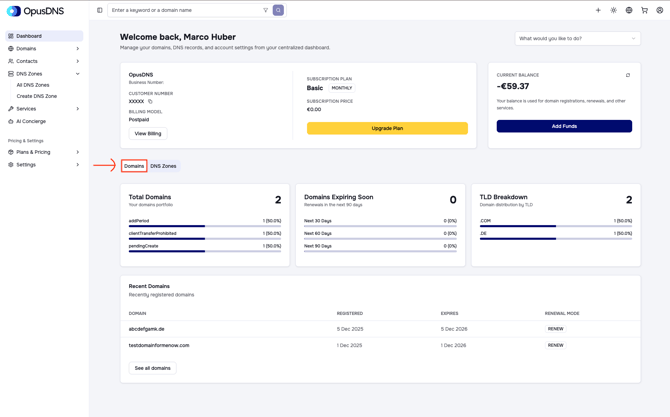
On your dashboard home page, the first screen you see after logging in or selecting Dashboard from the left navigation panel, you will find two tabs: Domains and DNS Zones.
When you open the Domains tab, you will see key statistics about your domains, including:
- The total number of domains in your portfolio, broken down by status
- Domains that are expiring in the next 30, 60, and 90 days
- A breakdown of domains by their extensions (TLDs)
- A list of recently registered domains