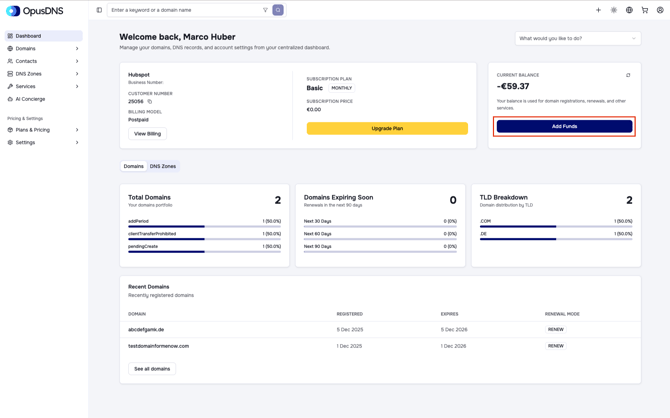
On your dashboard home page, you will find key information such as your subscription, account details, customer number, and more at the top. Right next to it, your current balance is displayed, which is used for domain registrations, renewals, and other services.
To add funds to your balance, click the Add Funds button below your current balance. Alternatively, you can navigate to the left menu panel, go to Settings > Payments, and from there add your payment method and top up your balance.
Once you top up, you will receive an email notification confirming that your balance has been updated. You can refresh the balance display at any time by clicking the reload icon in the balance box.