Logging In and Out
Logging In
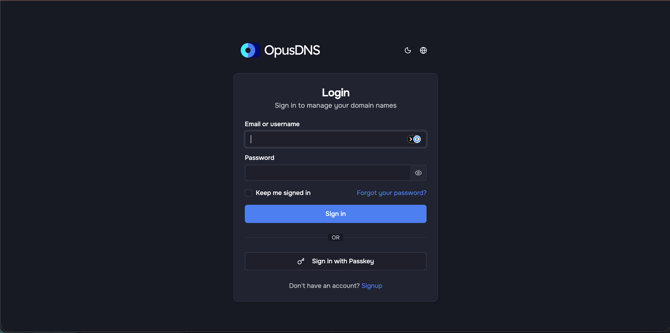
Navigate to the OpusDNS Dashboard login page at app.opusdns.com. You'll see a sign-in form powered by OpusDNS authentication.
Supported sign-in methods:
- Password — Enter your email and password
- Two-Factor Authentication (TOTP) — If enabled, you'll be prompted for a verification code from your authenticator app after entering your password
- Passkeys — Use a registered passkey for passwordless sign-in (biometric or hardware key)
If you've forgotten your password, use the "Forgot password" link on the login page to reset it.
Logging Out
- Click your avatar in the top-right corner of the top bar.
- In the dropdown menu, click "Logout".
- You'll be redirected to the login page.
Path: /logout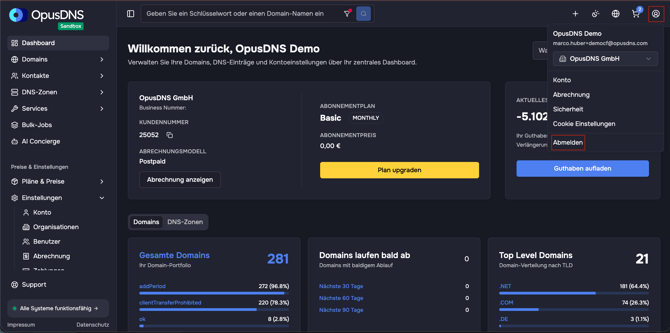
Session Duration
Sessions remain active based on your account's security settings. If your session expires, you'll be redirected to the login page automatically.