Keep your API credentials secure, as anyone with access could gain full control over your domains.
Never share your API key publicly, for example in a public code repository.
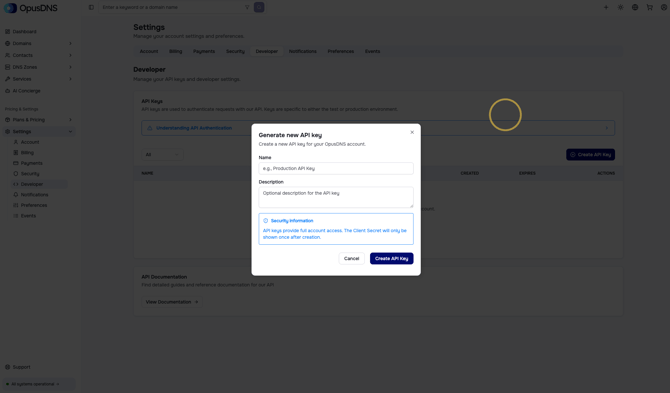
After registering an account with OpusDNS, you can generate an API key in your Developer settings by navigating to Settings > Developer.
-
Create your API key
Simply click the Create API Key button, give your key a name, and add a suitable description. -
Save your credentials
You will then see your API key along with the client-ID and client secret.
Please write down or securely store all of this information. -
Start using the API
Once your key is set up, you can consult our API documentation and start using the API. -
Register or transfer your first domain
To register or transfer your first domain, you need to top up your balance. This can be done via your dashboard under Settings > Payments.