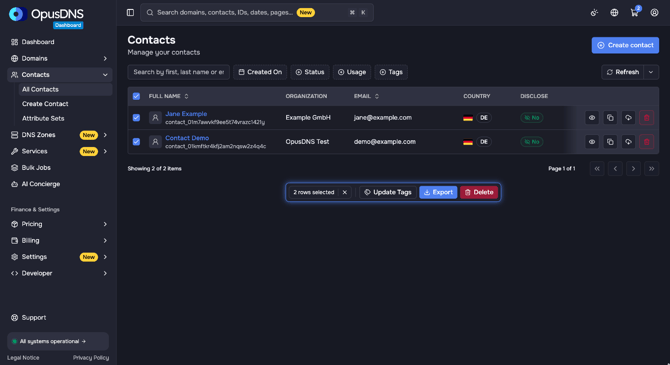
Export contacts if you manage contact details in your own system or need the contact ID of a contact. You can export a single contact or several contacts at once, as CSV or JSON.
Export a single contact
- Go to Contacts > All Contacts and click the contact.
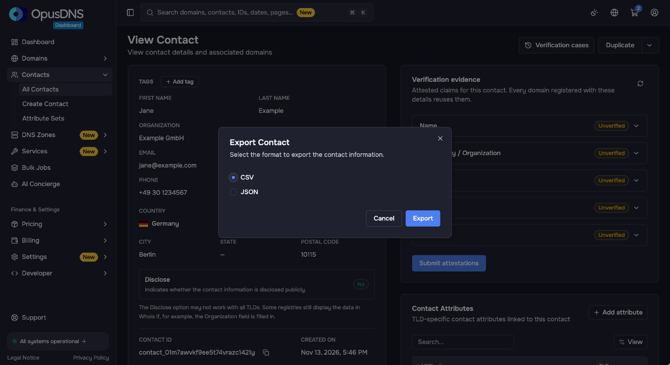
- Click the arrow next to Duplicate in the top-right corner and select Export. Alternatively, click the export icon in the contact's row in the Contacts list.
- In the dialog Export Contact, select the format CSV (default) or JSON.
- Click Export.
Export several or all contacts
- Go to Contacts > All Contacts.
- Select the contacts with the checkboxes at the start of each row. To select all contacts on the page, use the checkbox in the table header.
- In the action bar that appears, click Export.
- Select CSV or JSON and click Export.