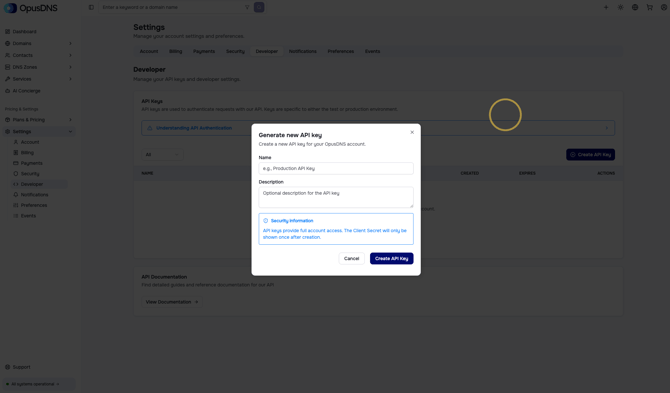
After registering a Sandbox account with OpusDNS, you can generate an API key in your Developer settings by navigating to Settings > Developer in your Sandbox Dashboard (app.sandbox.opusdns.com).
-
Create your API key
Simply click the Create API Key button, give your key a name, and add a suitable description.
We recommend adding a note for the sandbox environment and clearly labeling it within your project to distinguish it from the production account. -
Save your credentials
You will then see your API key along with the client-ID and client secret.
Please write down or securely store all of this information. -
Learn more about the API
Once your key is set up, you can consult our API documentation. -
Start testing
Select the base URL for the API sandbox and start testing the OpusDNS API. You can change the base URL at the top of the API documentation. Any changes made via the API will be reflected in your sandbox dashboard, allowing you to see their effects immediately.