
If you added domains to your cart to register or transfer them and then left the dashboard, your cart is kept in your browser. Click the cart icon in the top bar and choose Review Registration or Review Transfer to continue where you left off.
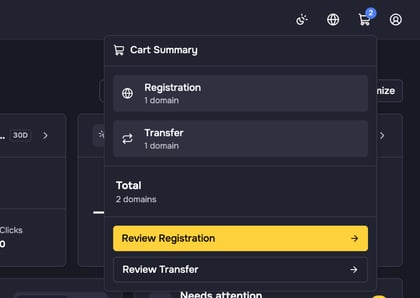
The cart is stored in the browser you used. On another device, in another browser or after you clear your browser data, it is empty.
Transfers that you have already submitted are no longer in the cart. You find them under Domains > Inbound Transfers. You can also add the Transfers in progress widget to your Dashboard home page.